


As a general-purpose configuration management database (CMDB), Assets for Jira can be used to create an inventory of basically anything. This includes software environments, i.e. the isolated stages in a pipeline where code is written, tested, finalized, and released.
With some careful setup, you can use Assets as an environment inventory, and extend its functionality to become a DIY test environment management (TEM) solution.
TEM is all about tracking and scheduling the different environments teams use for development, testing, staging, and production. With TEM, you understand things like: which version is deployed in an environment, who deployed it, and whether an environment is available.
This step-by-step guide will show you how to build a TEM solution in Assets and Jira using:
- Assets objects
- Jira work items
- Jira Automation
- Integrations
- Reporting tools
Jira and Assets Have No TEM Functionality Out of the Box
Managing test environments using Assets and Jira is possible, but requires heavy configuration and significant ongoing maintenance. If you want an off-the-shelf TEM solution for Jira, try Golive, which I will cover at the end of this guide.
Step 1: Create Your Environment Object Type
The first step is to create your environments as Assets objects.
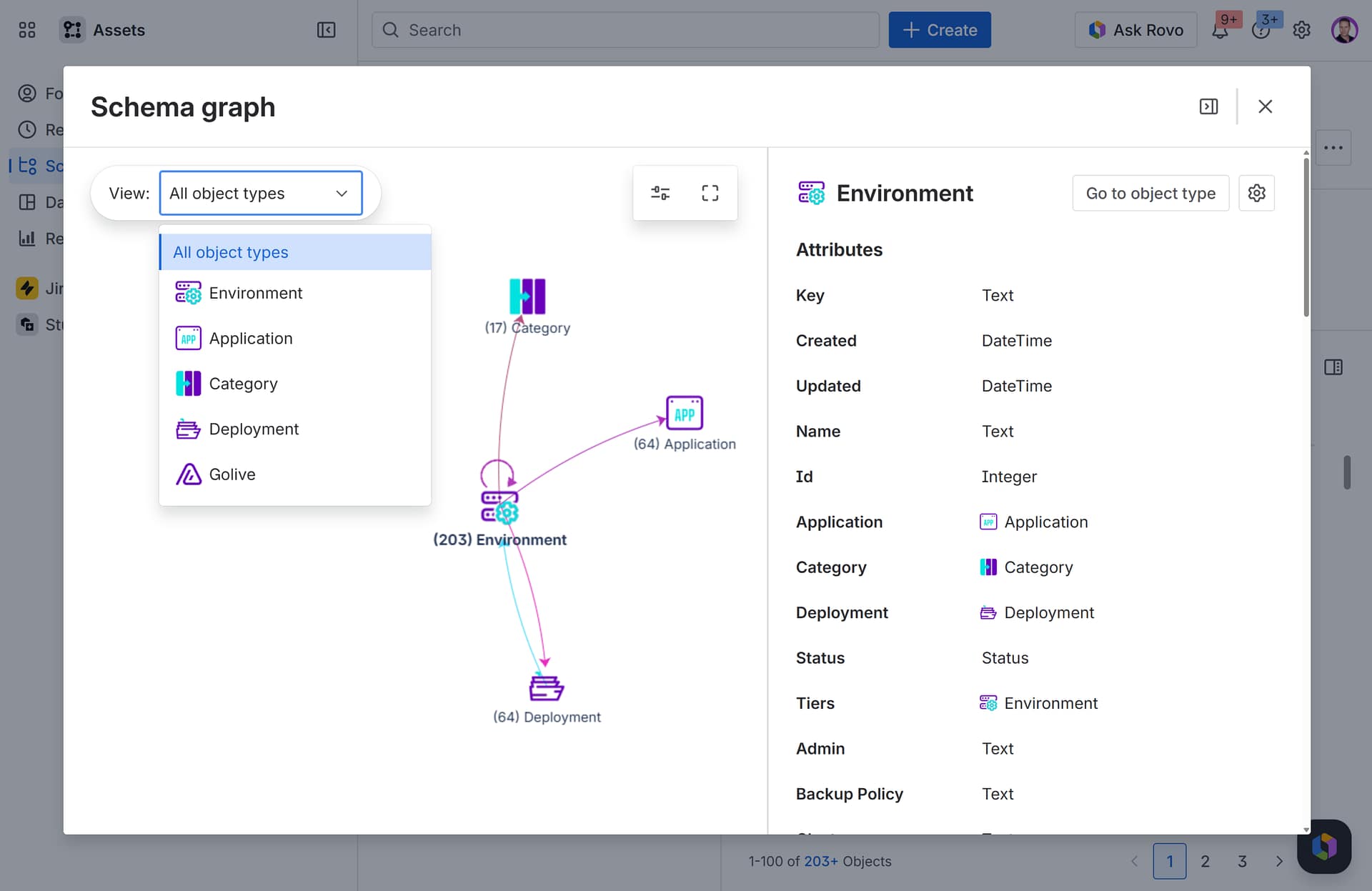
Since environments, as a concept, don’t exist natively in Assets, this involves creating an Environment object type and defining all the necessary attributes. For example:
- Environment type (development, testing, staging/pre-production, production);
- Status (whether the environment is available, in use, under maintenance, or offline);
- Location (where the environment is hosted);
- URL (the web address used to access the environment);
- Owner (the person or team responsible for managing the environment);
- Backup policy (how data backups are handled in the environment, e.g., daily backups retained for 30 days).
Step 2: Create Object Types for Application and Version
The foundation of test environment management is knowing “what” is deployed “where”.
The “where” is obviously your environment.
The “what” is a specific version of a specific application, e.g. Version 2.3.1 of the Payments app.
Applications don’t exist as a concept in Assets or Jira. In Jira, teams improvise by using different Jira spaces for different apps, or by using components or custom fields.
In Assets, you need to build an Application object type, with attributes like name, owner, and deployment data such as build numbers.
Even though versions are a first-class entity in Jira, they aren’t in Assets, so you need to duplicate them. Create a Version object type with attributes that mirror your fields in Jira: version number, release date, status, and release owner.
There’s obviously the potential for inconsistency between your Jira versions and your Assets versions, so you’ll need to make sure you sync them (covered in Step 5 below).
Step 3: Create an Object Type to Represent Deployment Events
Test environment management isn’t just about “what” and “where”. It’s also about “when”. And the “when” is the point in time a version was deployed in an environment.
So, while versions and applications give you the current state of your environments, it’s deployments that tell you when they change.
This matters because if something stops working, it could be because a new version has recently been deployed. You need to know if, and when that happened, and deployment events give you a history.
Like applications and versions, you need to create a Deployment object type, with attributes like deployment time, who performed the deployment, and the outcome (success, failure, rolled back).
The limitation here is that there are no native linkages between your objects in Assets and your actual deployments. So you’ll need to integrate your deployment tools and add automation to push the data to Assets (covered in Step 8).
Step 4: Link Your Environments, Applications, Versions, and Deployments with References
Assets allow you to connect different object types through references between attributes. Without these links, you can only see what exists; you can’t understand how things relate, depend on each other, or change over time.
For TEM, you would typically set up the following relationships:
- Environment → Application: each environment object should reference the application it’s hosting.
- Environment → Version: each environment should reference which release of an app is currently deployed there.
- Version → Application: each version should reference its parent application so that when you look at a version, you know which app it belongs to.
- Deployment → Environment: each deployment object should reference the environment it was deployed to.
- Deployment → Application: each deployment should reference the application that was deployed.
- Deployment → Version: each deployment should reference what version was deployed.
Step 5: Sync versions in Assets to versions in Jira
You want your version objects in Assets to match your versions in Jira; this is essential for release tracking and reporting.
You can keep your Jira versions and Assets versions in sync using Jira Automation. You’d define the trigger as being when a version is created or updated in Jira. Then you’d set the action as “Create object” or “Update object”. And you can use smart values like Jira’s version name, release date, and status and map them to the relevant fields in Assets.

Step 6: Create Your Booking System in Jira
Now that your environments are set up, you need a mechanism for managing how they’re used over time.
Assets is by nature a database. It’s not a calendar or a booking system so there’s no capability for reserving objects. You also can’t calculate average availability and usage of an environment over time. Yes, you can show time-based data on an object, but you can’t do much with it. Environment bookings require a workflow and Assets is not a workflow tool.
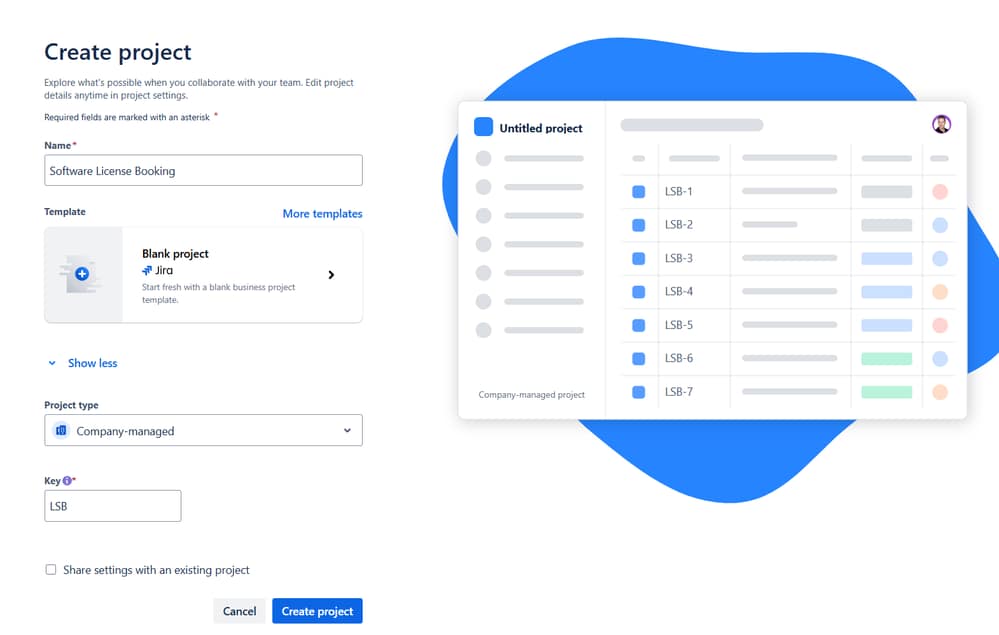
Jira, however, is. You can co-opt Jira for environment bookings by using Jira work items as booking requests. First you’d create a work item type such as Environment Booking or Environment Reservation.
Then you’d create Assets object custom fields for Environment, Application, and Version, which pull data from Assets, and add them to your Environment Booking work item type.
You’d also need fields for Start Date and End Date.
Finally you’d configure a workflow with statuses like Requested, Approved, Active, Completed, and Cancelled to control bookings and approvals.
Our Community article has more detail on how to set up a booking system in Jira.
Once that’s done, you’ll have turned your Jira into a basic DIY booking system for TEM (albeit one without any calendar/timeline visualization or availability computation).
Step 7: Add Automation for Conflict Detection, Approvals, and Environment Updates
Assets and Jira only function properly as a test environment management system if you glue everything together with Jira Automation.
First, you want rules that react to deployment events and bookings and make sure your environment objects are kept up to date. For example, you could have:
- a rule that triggers when a deployment object is created and updates an environment’s version.
- a rule that triggers when a booking request moves to an “Active” status, and updates the environment’s status to “In Use”.
- a rule that triggers when the booking moves to “Completed” and resets the environment’s status back to “Available”.
Next, you want rules for automating approvals. So, your rule would trigger when a booking request is created, automatically assign the work item to a specific user or group, and transition the work item to an “Awaiting Approval” status. Once approved, it would automatically update the environment object’s status to “Reserved”.
Finally — and this is probably the most critical element of your TEM booking system — you want automation for handling booking conflicts. So, you’d create a rule that triggers on booking creation and searches for existing bookings for the same environment where the time windows overlap. If the rule finds a matching work item, it indicates a scheduling conflict. It could:
- add a comment to the work item explaining the overlap
- notify the requester or environment owner
- transition the work item to a Blocked or Needs Attention status.
Note that doing conflict detection with Jira automation is fragile, reactive, and hard to maintain; missed overlaps will inevitably slip through. Also, performance and rule limits can become an issue at scale.
Step 8: Integrate With Your Delivery Tooling
You’ve created deployment objects in Assets to timestamp when an app version gets deployed. But deployments are orchestrated, executed, and tracked in your CI/CD pipelines, deployment tools, and source control systems. So ideally, you want a system that automatically creates deployment objects in Assets when a deployment happens in these tools.
Assets doesn’t integrate with external deployment tools natively, so what teams usually do is connect tools like GitHub, Kubernetes, and Bitbucket to their Jira using APIs, imports, and custom scripts. Then they use automation to push deployment data to Assets, i.e. create deployment objects and update environment objects.
Step 9: Make Everything Visible with Reporting
Good test environment management involves answering the following questions quickly:
- Which environments are currently in use?
- When is Quality Assurance (QA) available next?
- What version is deployed in User Acceptance Testing (UAT)?
To answer these questions, you need your environments, deployments, and bookings to be clearly visible on a dashboard. Unfortunately, neither Assets nor Jira offers any kind of calendar or scheduling visualization out of the box.
For that you’ll need to rely on external reporting tools. For example, with EazyBI, you could import your booking work items and build a timeline or Gantt chart showing when each environment is booked. But it would require proficiency with these tools.
TEM with Jira and Assets Is Possible, but It’s Hard Work
Jira and Assets give you most of a TEM solution, assuming you’re happy to set up all those Assets objects and Jira work items and configure and maintain a considerable number of automation rules.
But there’s no escaping the limitations that remain:
- no native calendar or timeline view for bookings
- no way to calculate average availability and usage over time
- no built-in mechanism for tracking deployment events.
To fill these gaps, you need to build integrations with your deployment pipelines and implement a reporting tool.
It’s hard work, and there’s a much simpler way.
What Golive for Jira Gives You
Everything you just built manually in Steps 1 through 9 is already built into Golive for Jira.
So, you don’t have to spend time creating object types, designing relationships between them, and syncing with versions in Jira. You don’t have to co-opt Jira as a makeshift booking system or write automation for conflict detection. And you don’t have to build deployment integrations or external scheduling dashboards.
Where Assets and Jira are generic and flexible tools, Golive is a specialized and opinionated one, purpose-built for test environment management. So it has all the core concepts of TEM already defined and ready to go.
With Golive, you get:
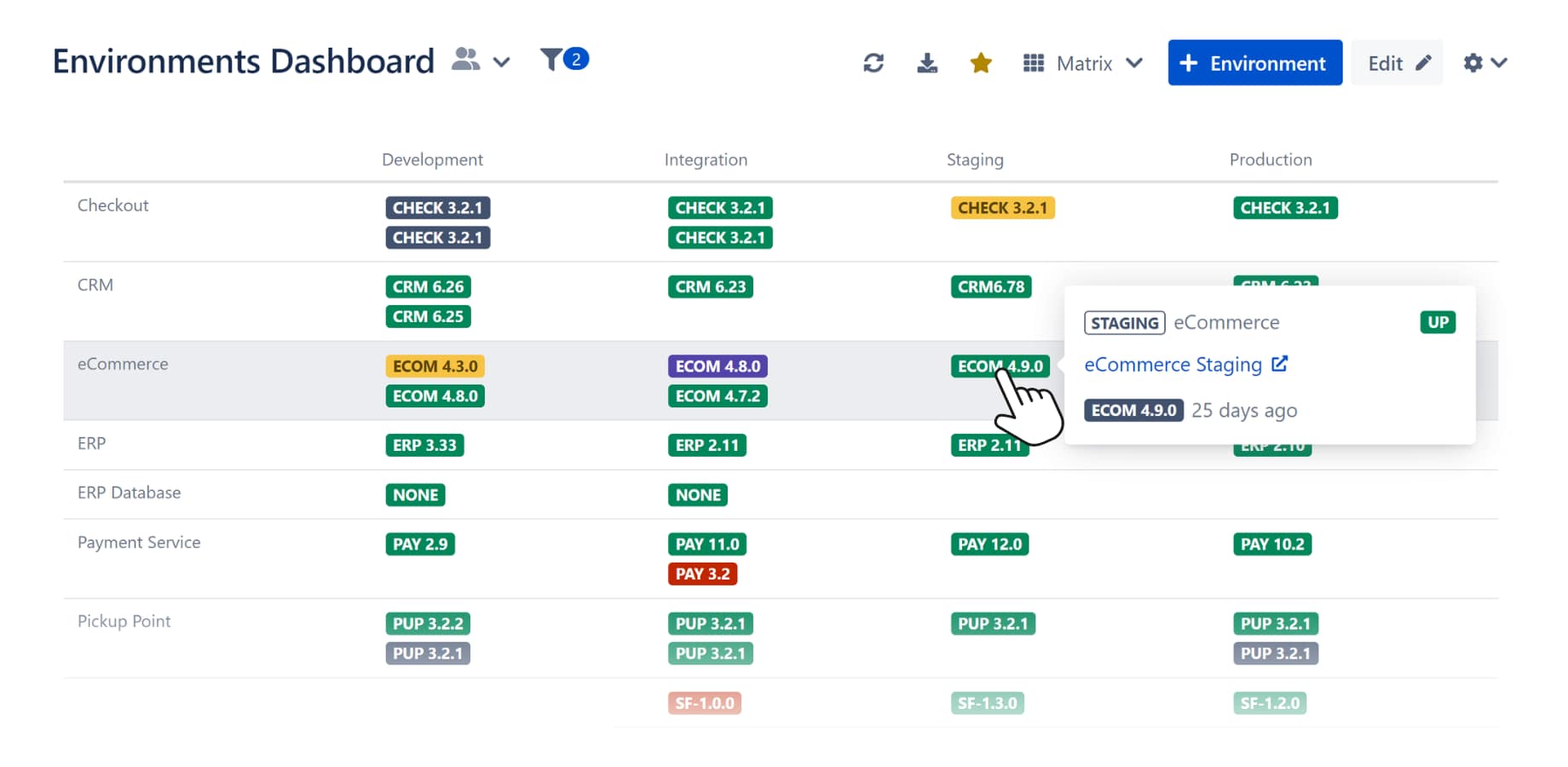
- A ready-made environment inventory
- Environments, versions, and applications as first-class entities
- Versions already mapped to your Jira versions
- A ready-made environment booking system
- Automatic conflict detection
- Timeline views of usage
- Average availability and usage statistics
- Built-in deployment tracking
- Native integrations with tools like GitHub, GitLab, Kubernetes, and Azure DevOps.
Using Assets as a test environment management solution is perfectly possible, and a reasonable starting point for some teams. But it requires a lot of effort, from careful modeling to significant automation to heavy ongoing maintenance.
Golive exists to remove that effort entirely.
Want to try it out? Get a 30-day free trial of Golive today.