


Quick Overview
Six Test Environment Management Trends in 2026:
- Cloud-Based Test Environments
- Infrastructure as Code
- Containerization and Orchestration
- Test Data Management
- Self-Service Test Environments
- Jira-Connected Environment Visibility
are converging around one operational need: faster, more reliable access to environments with less manual coordination and better visibility. Learn why they matter, the risks they introduce, and how to prioritize them.
In this article, I’ll walk through the main Test Environment Management trends for 2026, including: cloud-based environments, Infrastructure as Code, containerization, test data management, self-service provisioning, and stronger environment visibility inside tools like Jira: a powerful project management and issue-tracking software developed by Atlassian.
The goal is to help software, Quality Assurance (QA), DevOps, and release professionals understand what is changing, why it matters, and where to start.
Together, these trends reflect the same operational pressure. They are all part of the same shift: organizations need faster, more reliable access to the right environments, with less manual coordination and better visibility across testing, deployment, and release work.
First, let’s define what TEM covers and why it has become such an important part of modern delivery.
Learn how Release Dashboards will help you master your communication.
Learn how Release Dashboards will help you master your communication.
What Is Test Environment Management?
Test Environment Management, or TEM, is the practice of coordinating the non-production environments used for software testing and release validation.
It helps organizations track environment availability, ownership, deployed versions, test data, dependencies, and readiness across development, QA, staging, User Acceptance Testing, and pre-production environments.
Without a shared TEM process, this information is often spread across spreadsheets, messages, emails, and individual knowledge, increasing the risk of delays, conflicts, and limited release visibility.
For a deeper explanation of TEM processes, responsibilities, and tools, see our complete Test Environment Management guide.
Takeaway: TEM gives organizations a shared view of the environments that testing and release delivery depend on.
That foundation helps explain why environment management practices are now changing.
Why Test Environment Management Is Changing
Many organizations are now managing several releases at the same time.
DORA’s State of DevOps Report found that elite-performing teams deploy on demand, multiple times a day, while lower-performing teams may deploy as infrequently as once every six months.
At the same time, organizations are dealing with more dependencies between systems, more tools, and higher expectations around speed, quality, and security. In this context, test environments become much harder to coordinate when people need to switch between multiple tools or rely on systems that were not designed for Test Environment Management.
This is usually where delays start to appear. People need to know which environment is available, what version is deployed, who is using it, whether the right test data is ready, and whether a release can move forward safely.
In the past, a smaller group of specialists could often manage this manually. But as delivery cycles become faster and infrastructure becomes more distributed across cloud, hybrid systems, and CI/CD pipelines, manual coordination becomes harder to maintain.
That is why TEM is becoming more important. It gives teams a clearer way to manage testing needs, environment availability, deployment status, ownership, and release readiness in one shared process.
TEM is changing because modern delivery work needs environment information to be visible, reliable, and connected to the tools where work is already planned.
Top 6 Test Environment Trends 2026
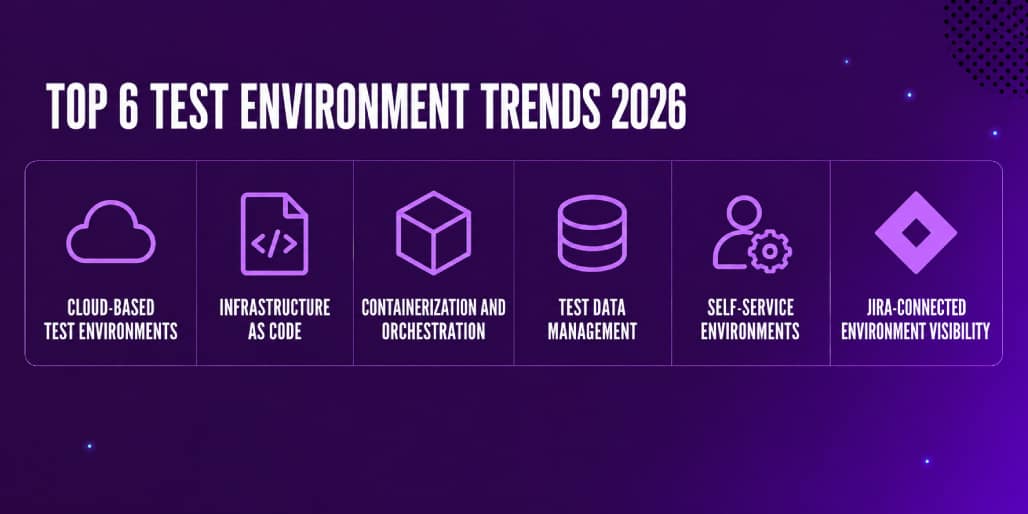
In 2026, this shift is reflected in six main trends, each one addresses a different part of the environment lifecycle, but together they point toward the same goal: reducing manual coordination and making test environments more reliable, accessible, and easier to manage.
The table below provides a complete overview of the six trends before we explore each one in more detail.
Trend | What it Means | Why it Matters |
|---|---|---|
Cloud-based test environments | Test environments are created and managed through cloud infrastructure | Makes environments easier to scale, provision, and adapt |
Infrastructure as Code | Environment configurations are defined and managed through code | Improves consistency and reduces manual setup errors |
Containerization and orchestration | Applications and dependencies are packaged into portable containers and managed through orchestration platforms | Helps keep environments stable across different platforms |
Test data management | Test data is created, protected, refreshed, and controlled | Improves testing quality while protecting sensitive information |
Self-service environments | Users can request, book, provision, or update environments with less manual support | Reduces bottlenecks and gives more autonomy to delivery groups |
Jira-connected environment visibility | Environment status, bookings, deployments, and ownership are managed where work already happens | Improves collaboration and release coordination |
Bottom line: Test Environment Management is moving from manual coordination toward more visible, automated, and governed environment operations.
This need for visibility and speed usually starts with infrastructure. When environments are slow to create, difficult to scale, or dependent on too much manual setup, testing, and release work slows down as well. That is why cloud-based test environments are one of the first trends to consider.
1. Cloud-Based Test Environments
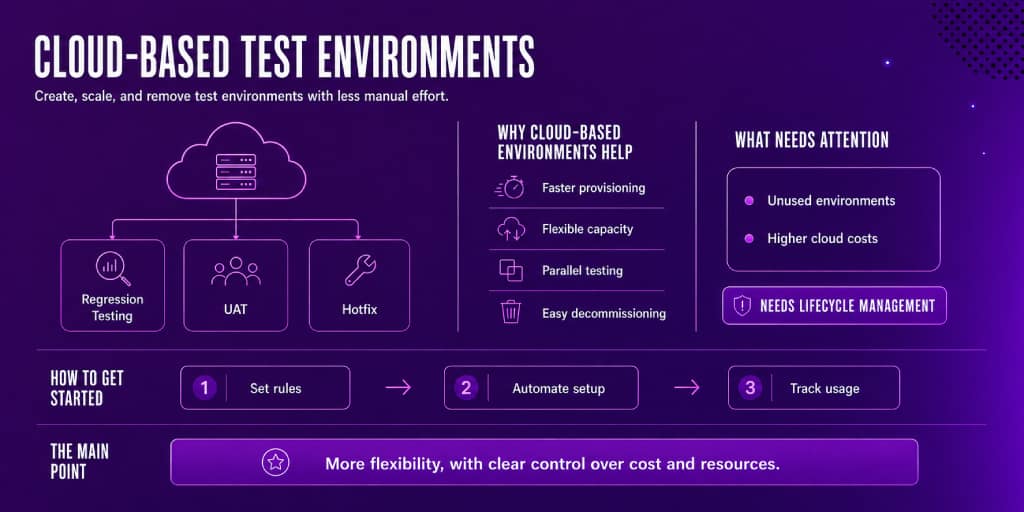
Cloud-based test environments use cloud infrastructure to create, run, scale, and manage environments for software testing.
Many environment delays start with access. If your team depends on physical servers or manually configured infrastructure, testing can be blocked by limited capacity, long setup times, or competing requests.
With cloud-based provisioning, you can create, update, scale, or remove environments more easily. This gives your team more flexibility when supporting multiple releases, parallel test cycles, distributed delivery groups, or complex application landscapes.
Why Cloud-Based Environments Help
Cloud-based environments make it easier to:
- Provision test environments faster
- Scale testing capacity when demand increases
- Reduce dependency on fixed infrastructure
- Support distributed delivery groups
- Improve resource utilization
- Decommission environments when they are no longer needed
Example
A release manager may need one staging environment for regression testing, one UAT environment for business validation, and one temporary environment for a hotfix. With cloud-based provisioning, these environments can be created or adjusted with less manual effort.
What Needs Attention
Cloud environments still need governance. Without clear visibility and lifecycle management, they can create unnecessary costs, unused resources, and environments that are difficult to track.
How to Get Started
- Set provisioning rules
Define who can create environments, which configurations are approved, and when resources should be removed.
- Automate environment setup
Automate the environments that are requested most often or take the longest to prepare. - Track usage and lifecycle
Monitor environment status, ownership, usage, and cleanup to prevent cost sprawl and abandoned resources.
Takeaway
Cloud-based test environments improve flexibility, but they need clear lifecycle rules to keep cost and resource usage under control.
Once environments become easier to provision, the next challenge is consistency. Creating environments faster does not help much if each one is configured differently or small manual changes create unexpected differences over time. This is why Infrastructure as Code is closely connected to cloud-based test environments.
2. Infrastructure as Code
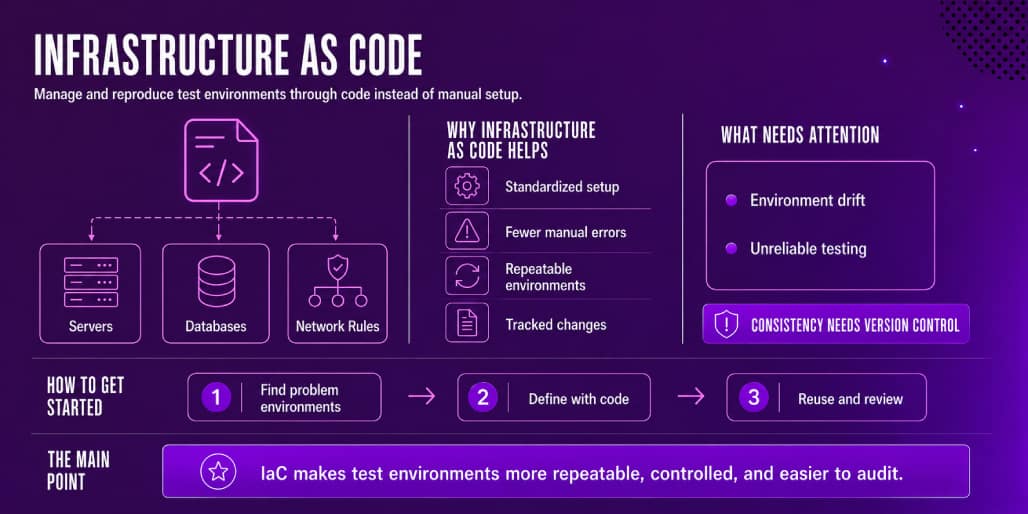
Infrastructure as Code, or IaC, is the practice of managing infrastructure through code instead of manual configuration.
With IaC, environment configuration can be versioned, reviewed, reused, and automated. This makes test environments more consistent and easier to reproduce.
Why Infrastructure as Code Helps
IaC helps reduce one of the biggest problems in Test Environment Management: environment drift.
Environment drift happens when environments that should be identical, such as QA and production, gradually become different because of small, uncoordinated manual changes. This can make test results less reliable, since something may pass in QA and still fail in production.
IaC helps teams:
Standardize environment configuration
Reduce manual setup errors
Recreate environments consistently
Track infrastructure changes
Support automated provisioning
Align test environments with DevOps workflows
Example
Instead of manually configuring a QA environment, your team can use infrastructure code to define servers, databases, networking rules, dependencies, and environment variables. The same configuration can then be reviewed, updated, and reused across multiple testing cycles.
What Needs Attention
IaC still requires clear ownership, review processes, version control, and access rules. Poorly managed infrastructure code can reproduce configuration errors just as consistently as it reproduces the correct setup.
How to Get Started
- Identify unstable environments
Start with the environments that create the most delays, configuration issues, or unexpected differences. - Define the configuration as code
Document the infrastructure, dependencies, variables, and rules needed to recreate each environment. - Review and automate changes
Use version control and approval processes before automating provisioning across testing workflows.
Takeaway
Infrastructure as Code makes test environments more repeatable, controlled, and auditable, especially when environment drift is affecting testing or deployments.
Once the infrastructure is clearly defined, the next layer to consider is the application itself, including its services, libraries, dependencies, and runtime conditions.
Even with consistent infrastructure, testing can still be affected when applications behave differently across environments. Containerization helps reduce this gap by packaging the application with its dependencies, while orchestration manages how those containers are deployed, scaled, updated, and maintained.

3. Containerization and Orchestration
Containerization packages an application and its dependencies into a portable unit called a container. This helps software run more consistently across development, testing, staging, and production-like environments.
Orchestration manages how containers are deployed, scaled, updated, and maintained. Kubernetes, also known as K8s, is one of the most widely used orchestration platforms for managing containerized applications.
Why Containerization and Orchestration Help
Containerization reduces differences between environments by keeping the application and its dependencies together.
This makes testing more reliable because the same application setup can be used across different stages of delivery.
Containerization and orchestration help teams:
- Improve environment portability
- Reduce dependency conflicts
- Support faster environment setup
- Scale testing workloads
- Manage the environment lifecycle more efficiently
- Support modern DevOps and CI/CD workflows
Example
A QA group testing a new release can use containerized services to recreate application dependencies more consistently. This reduces the risk that a test passes in one environment but fails in another because of configuration differences.
What Needs Attention
Containerized environments still need clear governance. Organizations should define ownership, resource limits, version control, access rules, and cleanup processes.
Without these controls, containers and clusters can become difficult to track, expensive to maintain, and harder to manage over time.
How to Get Started
Package services
Start by containerizing the applications, services, and dependencies that need to run consistently across development, testing, and staging environments.
Define rules
Set clear ownership, resource limits, access controls, versioning standards, and orchestration rules for deploying, scaling, and updating containers.
Monitor and clean up
Track container and cluster usage, identify outdated or unused resources, and establish cleanup processes to keep environments manageable and control costs.
Takeaway
Containerization and orchestration improve application consistency and portability, but they need clear ownership, resource controls, and cleanup rules to remain manageable.
After improving infrastructure and application consistency, the next major concern is data readiness.
A containerized setup can help services run consistently, but reliable testing still depends on the quality, safety, and availability of the data inside each environment. If the data is outdated, incomplete, unrealistic, or sensitive, the environment may be technically available but still not ready for testing.
This is where the focus moves from “Can we run the environment?” to “Can we trust the results we get from it?”
4. Test Data Management
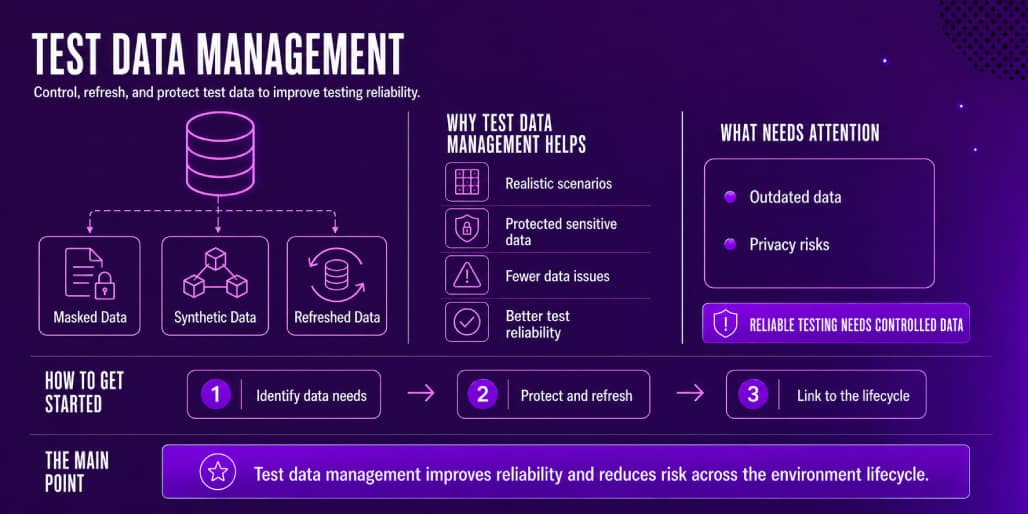
Test Data Management is the practice of creating, organizing, securing, refreshing, and controlling the data used during software testing.
Reliable test data is essential for reliable testing. Even a well-configured environment can produce poor results when the data is incomplete, outdated, unrealistic, or unsafe to use.
Why Test Data Management Helps
As applications become more data-driven, test data becomes more complex. Organizations need realistic data to test real scenarios, while also protecting personal, confidential, or sensitive information.
Strong test data management helps teams:
- Create realistic testing scenarios
- Protect personal or sensitive data
- Reduce data-related testing failures
- Refresh test data more efficiently
- Support compliance requirements
- Improve test reliability
Common Test Data Management Practices
Common practices include:
- Data masking
- Data subsetting
- Synthetic data generation
- Controlled data refreshes
- Access management
- Environment-specific datasets
- Data quality checks
Example
A financial services organization may need realistic customer data to test a new feature. Instead of using sensitive production data directly, it can use masked or synthetic data that reflects real use cases while reducing privacy risk.
What Needs Attention
Test data can quickly become outdated, inconsistent, or exposed if it is managed separately from the environment.
Organizations should define who can access the data, how often it is refreshed, which information must be masked, and what happens to the data when the environment is no longer needed.
How to Get Started
- Identify the data each environment needs
Define which datasets are required for QA, staging, UAT, and other testing scenarios.
- Protect sensitive information
Use masking, subsetting, or synthetic data to reduce privacy and compliance risks. - Connect data to the environment lifecycle
Refresh, review, and remove test data when environments are booked, updated, reused, or decommissioned.
Takeaway
Test Data Management improves test reliability and reduces data risk when data quality, access, and refresh rules are connected to the full environment lifecycle.
Once the environment, application, and test data are ready, the next challenge is making access easier to coordinate.
Even with strong technical foundations, testing can still slow down when every environment request, booking, refresh, or update depends on manual support. As more people rely on shared environments, they need a clearer way to request access, avoid conflicts, and understand when an environment is available.
This is where the focus moves from preparing environments to making them easier to use in day-to-day delivery work.
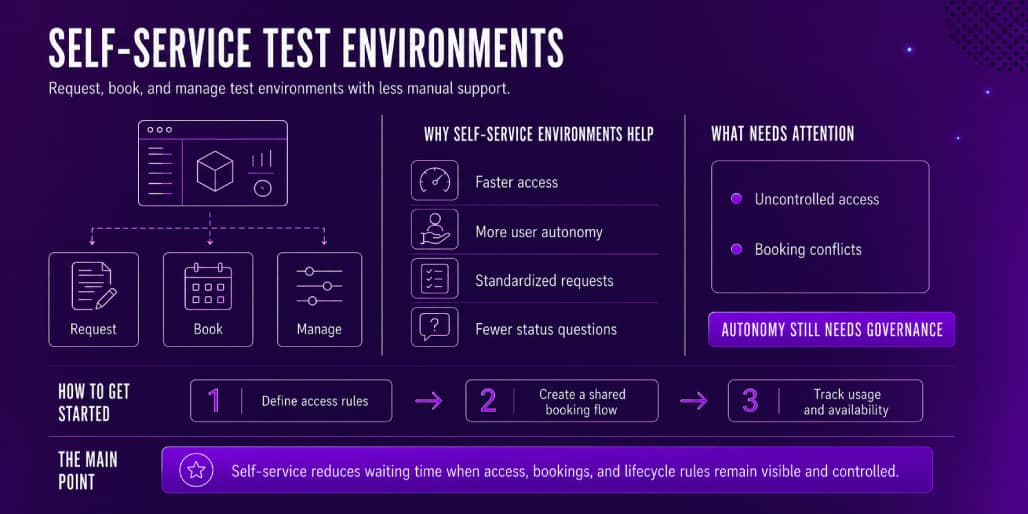
5. Self-Service Test Environments
Self-service test environments allow users to request, book, provision, update, or manage test environments with less dependency on manual support.
This reduces bottlenecks and gives the people involved in software delivery more control over when and how they access shared environments.
Why Self-Service Environments Help
In many organizations, environment requests depend on a small group of specialists. This can delay testing, increase waiting times, and create unnecessary pressure on support groups.
Self-service capabilities help teams:
- Access environments faster
- Gain more autonomy
- Standardize request and approval flows
- Reduce repeated status questions
- Improve booking visibility
- Apply governance more consistently
Example
A QA manager may need to reserve a staging environment for regression testing the following week. With a self-service process, the request can be created, approved, booked, and tracked through a shared system instead of being coordinated through email or chat.
What Needs Attention
Self-service still needs governance. Without clear access rules, booking visibility, ownership, and lifecycle controls, it can lead to uncontrolled access, conflicting reservations, and environments that are difficult to manage.
How to Get Started
- Define access rules
Set who can request, approve, book, provision, or update each environment. - Create a shared booking flow
Use one visible process for requests, approvals, reservations, and changes. - Track usage and availability
Make it easy to see what is available, what is booked, who owns each environment, and what is currently deployed.
Takeaway
Self-service reduces waiting time when access, bookings, and lifecycle rules remain visible and controlled.
A self-service model works best when it is connected to the tools already used for software delivery, such as Jira.
Without shared visibility, people may have more autonomy but still need to ask for status updates, check multiple tools, or confirm environment availability manually.
This is why the next trend focuses on bringing environment information closer to the place where delivery work is already planned, tracked, and discussed.
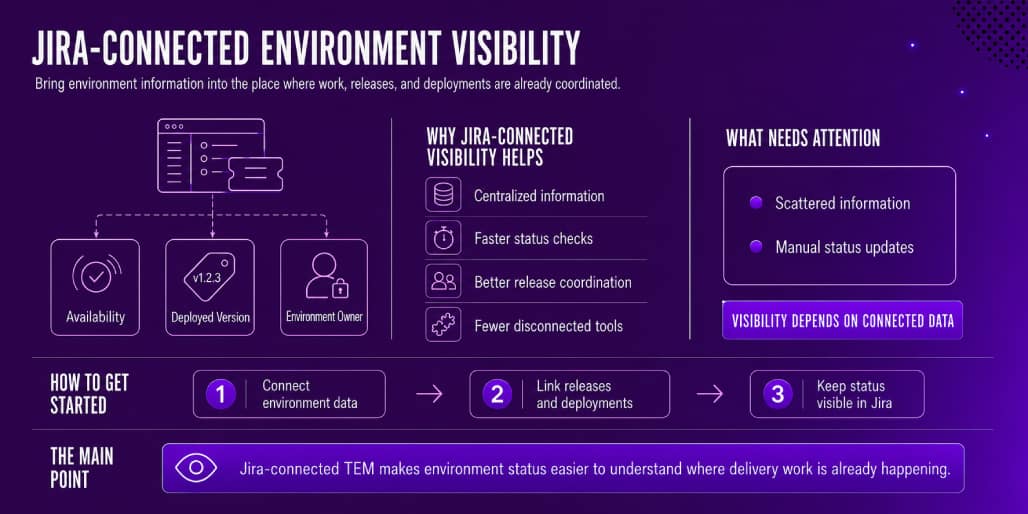
6. Jira-Connected Environment Visibility
Jira is Atlassian’s work management and issue-tracking platform. Many software teams already use Jira to plan work, track issues, manage releases, and coordinate delivery. This makes Jira a natural place to improve Test Environment Management visibility.
Jira-connected TEM helps centralize environment information where work is already being planned and executed.
Why Jira-Connected Visibility Helps
Environment information is often spread across several places. This can include spreadsheets, CI/CD tools, chat channels, emails, and manual notes.
When environment data is disconnected from Jira, it becomes harder to answer practical questions such as:
- Which environment is available?
- Which version is deployed?
- Who is using this environment?
- Is this environment ready for testing?
- Is there a conflict with another test campaign?
- Which release is connected to this environment?
- Can this deployment move forward?
Jira-connected visibility helps teams:
- Centralize environment information
- Check status faster
- Improve release coordination
- Reduce dependency on disconnected tools
What Needs Attention
Visibility depends on connected and reliable data. If environment information is scattered, outdated, or updated manually in too many places, Jira cannot provide a clear operational view.
This means organizations still need shared rules for ownership, status updates, and how environment data connects to deployments and releases.
How to Get Started
- Connect environment data
Bring availability, ownership, status, and related environment details into Jira. - Link releases and deployments
Connect environments to release and deployment information so people can understand what is running and what is ready. - Keep status visible in Jira
Make environment information easy to see where work is already being planned, tracked, and discussed.
Takeaway
Jira-connected TEM makes environment status easier to understand, where delivery work is already happening.
At this point, the difference between traditional and modern TEM becomes clearer.
The main change is not only the technology being used. It is the way environment work is coordinated. Traditional TEM often depends on manual updates, disconnected information, and a small number of people holding the context. Modern TEM moves toward shared visibility, clearer ownership, automation, and stronger governance across the environment lifecycle.
The table below summarizes this shift.
Area | Traditional Test Environment Management | Modern Test Environment Management |
|---|---|---|
Environment setup | Manual and slow | Automated or semi-automated |
Visibility | Spreadsheets, emails, or informal updates | Shared dashboard or Jira-connected view |
Provisioning | Centralized and request-heavy | Self-service with governance |
Infrastructure | Static or manually configured | Cloud-based, containerized, or defined through code |
Test data | Manually prepared or reused without enough control | Masked, synthetic, refreshed, and governed |
Collaboration | Siloed between QA, DevOps, and release groups | Connected to delivery workflows |
Release readiness | Difficult to assess quickly | Easier to track through environment status and deployment data |
Risk management | Reactive | More proactive and visible |
Modern TEM gives teams a more reliable way to coordinate environments, releases, test data, and ownership across delivery workflows.
Common Risks in Modern Test Environment Management
Modern TEM practices bring clear advantages, but they also need careful management.
Common risks include:
- Cloud cost sprawl from unused environments
- Poor governance in self-service models
- Sensitive data exposure in test environments
- IaC misconfiguration
- Container complexity
- Lack of ownership
- Environment drift
- Unclear booking rules
- Disconnected deployment information
- Over-reliance on manual updates
These risks can be reduced with clear ownership, lifecycle rules, automated cleanup, access control, monitoring, and centralized visibility.
Modern TEM works best when automation and self-service are supported by clear ownership, access rules, and lifecycle governance.
Which Test Environment Management Trend Should You Prioritize First?
Your team does not need to adopt every TEM trend at the same time. The best starting point depends on the main bottleneck.
If your main problem is... | Prioritize this TEM trend | Why |
|---|---|---|
People do not know which environment is available | Jira-connected environment visibility | Creates a shared source of truth |
Environment setup takes too long | Cloud-based environments or Infrastructure as Code | Reduces manual setup and improves repeatability |
Environments behave differently across stages | Centralized and request-heavy | Self-service with governance |
Testing fails because of poor or unsafe data | Test data management | Improves test reliability and protects sensitive data |
Requests depend on a small support group | Self-service test environments | Reduces bottlenecks while keeping governance |
Multiple releases compete for the same environments | Environment booking and ownership visibility | Helps reduce scheduling conflicts |
For many teams, visibility is the best first step because automation is easier to prioritize once environment status, ownership, and usage are clear.
How to Start Modernizing Test Environment Management
You do not need to change everything at once. A practical TEM improvement plan can start with visibility and then move toward automation.
A simple implementation path could look like this:
- Map all non-production environments.
- Identify environment owners and users.
- Define environment statuses and lifecycle rules.
- Centralize environment availability and booking information.
- Connect environments to Jira issues, releases, or deployments.
- Standardize test data practices.
- Automate provisioning for the most frequently used environments.
- Add self-service workflows with governance.
- Track environment conflicts, delays, incidents, and usage.
- Review the process regularly as delivery needs change.
The first goal should be clarity. Once environment information is visible and reliable, automation becomes easier to prioritize.
Next step: If your current process depends on spreadsheets or manual status updates, start by mapping your non-production environments and defining who owns each one.
When Is a Spreadsheet No Longer Enough for Test Environment Management?
A spreadsheet may work when an organization has a small number of stable environments. It becomes harder to maintain when environment status, bookings, deployments, ownership, and test data change frequently.
A spreadsheet is usually no longer enough when:
- Environment status changes daily or weekly
- Multiple releases compete for the same environments
- People often ask which environment is available
- Deployment information is updated manually
- Environment ownership is unclear
- Test data readiness is tracked separately
- QA, DevOps, and release groups depend on different information sources
- Environment visibility is needed inside Jira or another delivery tool
If environment information changes frequently, a shared and governed system is usually more reliable than a spreadsheet.
For a closer comparison, read our guide to Spreadsheets vs. Apwide Golive, which explains where spreadsheets start to fall short and how a Jira-based approach can improve visibility, coordination, and control.
When Should You Consider a TEM Tool?
You should consider a Test Environment Management tool when:
- Environment status is tracked in spreadsheets
- People often ask which environment is available
- Test campaigns are delayed by booking conflicts
- Deployment information is difficult to find
- QA and release groups depend on manual updates
- Environment ownership is unclear
- Multiple releases compete for the same environments
- Jira does not show enough environment context
- Test data and environment readiness are difficult to coordinate
A TEM tool can centralize this information and make environment planning more reliable.
To compare available solutions, read our guide to Test Environment Management tools, including the capabilities to evaluate across Jira, QA, DevOps, and release management workflows.
For organizations already using Jira for software delivery, Apwide Golive provides a shared coordination layer between environments and the tools used to provision, deploy, and test applications.
How Apwide Golive Supports Modern Test Environment Management
Golive is a Jira app developed by Apwide that gives QA, DevOps, release, and software delivery professionals a shared view of test environments, bookings, deployments, and related communication.
It supports modern Test Environment Management by helping organizations:
- Centralize environment information in Jira
- Track environment status, ownership, and availability
- Reduce booking conflicts
- Plan test campaigns and demos
- Connect deployments with environment information
- Support self-service booking and planning workflows
Apwide Golive can also connect environment visibility with the wider delivery toolchain. For example, it can reflect environments and deployments managed through cloud platforms, Infrastructure as Code workflows, Docker containers, and Kubernetes clusters. It can also connect environment information with test management apps such as Xray, helping users see the relationship between test activities, deployed versions, and the environments where validation takes place.
These tools continue to manage their own areas: Docker packages applications into containers, Kubernetes orchestrates containerized applications, Infrastructure as Code defines infrastructure configuration, and Xray manages testing activities in Jira. Apwide Golive brings the relevant environment, deployment, booking, and testing context together in Jira, making it easier to coordinate work across them.
TEM trend | How Apwide Golive supports it | Learn more |
|---|---|---|
Jira-connected environment visibility | Centralizes environment status, ownership, and availability in Jira | |
Self-service test environments | Enables self-service environment provisioning and other automated workflows from Jira | |
Release coordination | Connects release activities, environment changes, bookings, and blackouts to support coordinated planning | |
Cloud, IaC, and container workflows | Integrates with CI/CD, cloud, IaC, and container workflows through APIs, webhooks, and automation |
Apwide Golive is most useful for teams that already coordinate software delivery in Jira and need clearer visibility into environments, bookings, and deployments.
Next step: If your organization already uses Jira but still tracks environments separately, compare your current process with Apwide Golive’s Jira-based environment visibility and booking features.
Key Takeaways
Modern TEM should start with visibility, then move toward automation, self-service, and stronger governance.
Start by making your environments visible and reliable. Once you know what exists, who owns it, what is deployed, and how each environment is being used, it becomes much easier to prioritize cloud provisioning, Infrastructure as Code, containerization, test data improvements, and self-service workflows.
To apply this in practice:
- Make environment status, ownership, bookings, and deployed versions visible in one place.
- Prioritize the bottlenecks that delay testing or release readiness most often.
- Add automation and self-service only where clear rules and ownership are already in place.
- Treat test data, access, and cleanup as part of the environment lifecycle.
- Use conflicts, delays, and usage data to decide what to improve next.
The main Test Environment Management trends in 2026 are cloud-based test environments, Infrastructure as Code, containerization, orchestration, test data management, self-service provisioning, and Jira-connected environment visibility.
Test Environment Management is the practice of planning, provisioning, tracking, controlling, and maintaining the environments used for software testing, QA, staging, UAT, demos, and release validation.
Test Environment Management is important because software delivery depends on reliable environments. When environments are unavailable, misconfigured, poorly tracked, or in conflict, testing slows down and release risk increases.
Self-service Test Environment Management allows users to request, book, provision, or manage environments with less manual support. It helps reduce bottlenecks while keeping governance, access rules, and lifecycle control in place.
Jira can support Test Environment Management by connecting environments to issues, releases, deployments, bookings, and testing workflows. This improves visibility and helps delivery groups coordinate environment usage more effectively.
Apwide Golive helps organizations manage environment visibility, bookings, deployments, notifications, and planning directly in Jira. It supports better coordination between QA, DevOps, and release management workflows.
For organizations that lack a clear view of environment status, ownership, availability, and usage, visibility is often the most practical first step.
Environment booking is the process of reserving an existing environment for a specific use, time, team, or test campaign. Environment provisioning is the process of creating, configuring, or preparing an environment so it can be used.
The main risks are poor governance, unclear ownership, uncontrolled access, cloud cost sprawl, and unused environments. These risks can be reduced with approval rules, lifecycle policies, access control, and centralized visibility.
TEM supports release readiness by showing whether the right environments are available, correctly configured, deployed with the expected version, connected to the right test data, and ready for validation before release decisions are made.